

How to Pay with Cryptocurrency: A Trustee Plus Guide from Canna City Ganja Shop
Ah, the world of digital coin, where pounds and pence bow to the shimmering allure of blockchain wizardry. For the savvy Londoner eager to embrace the future of transactions, here lies your guide to Trustee Plus – your trusty app for all things crypto. Let’s embark on this journey together, navigating from installation to effortless digital currency transfers with a touch of class.
1
Fetch and Install Trustee Plus
1. Acquire the App:
- For iOS Enthusiasts: Saunter over to the App Store.
- For Android Admirers: Mosey into the Google Play Store.
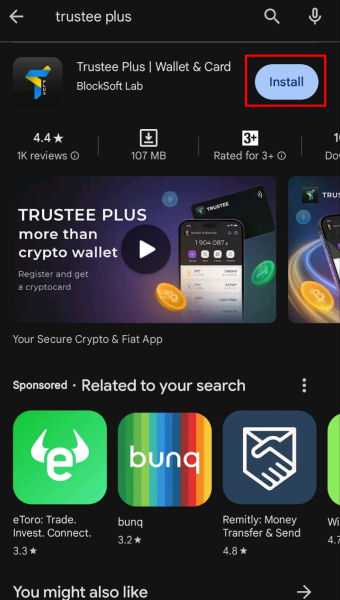
- Seek and Find: Enter “Trustee Plus” in the search bar and locate your digital treasure.
- Install with Elegance: Tap “Install,” then wait as the magic unfolds.
Feeling curious? Visit Trustee Plus for a deeper dive.
2
Establish Your Crypto Haven
1. Open the App:
Launch Trustee Plus with a sense of purpose.
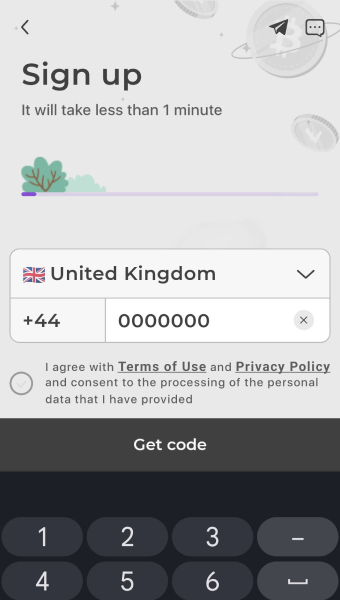
2. Craft Your Account:
- Provide your mobile number.
- Wait for a code to arrive (with a dash of excitement).
- Enter said code to secure your crypto sanctuary.
3
Prove Thyself – Account Verification
1. Locate Thy Profile:
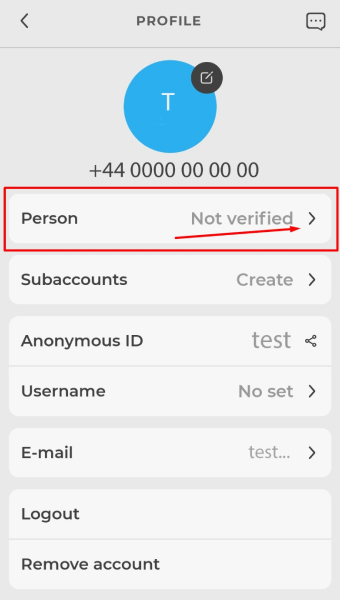
- Tap the Profile icon (a charming blue circle bearing a letter).
- Select your profile to step into the inner sanctum.
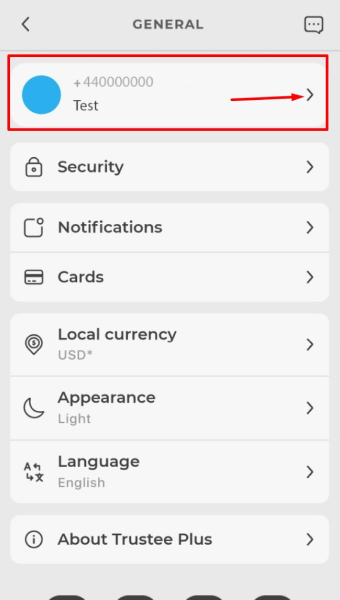
2. Begin the Ritual of Verification:
- Enter your email address and verify it like a true citizen of the digital age.
- Tap the “Person” folder to proceed with identity validation.
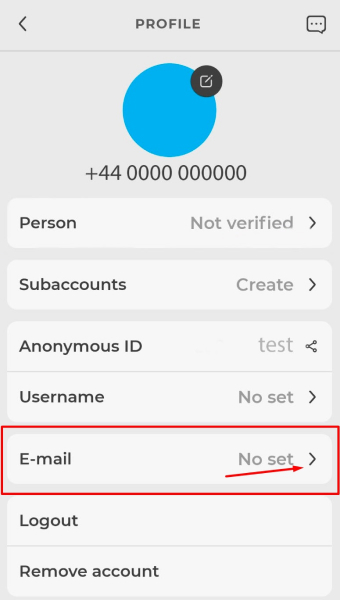
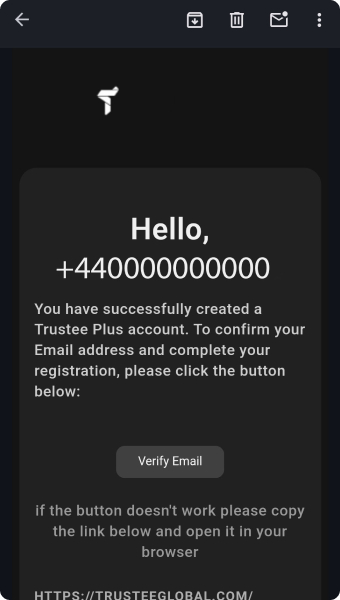
3. Verification Steps:
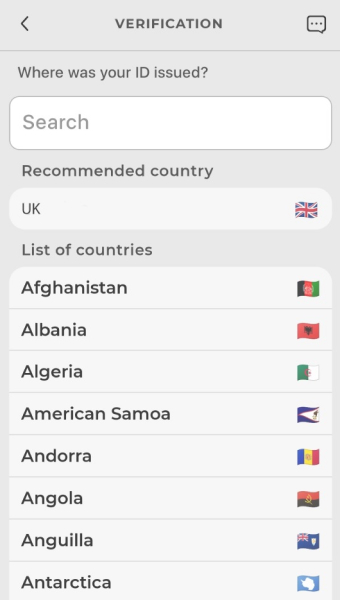
- Choose the country of your ID’s origin.
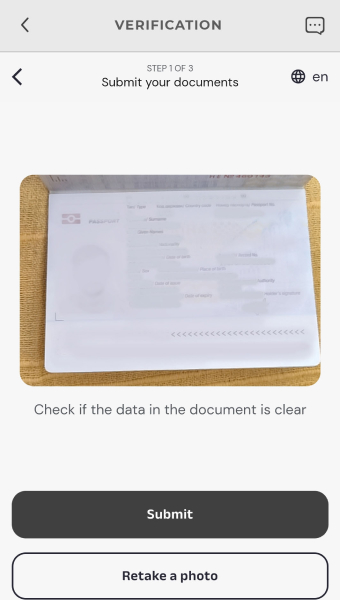
- Select your ID type – be it a passport or driver’s license, your choice of identity.
- Upload a photo of the ID (a flattering one, naturally).
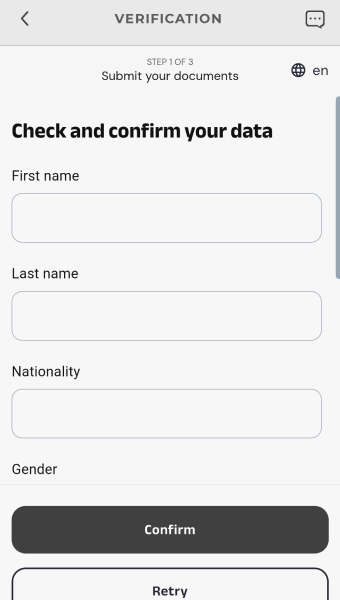
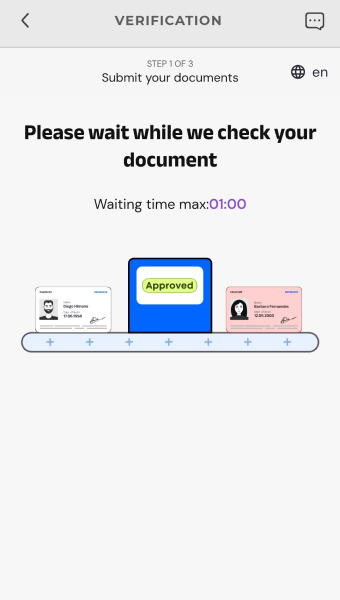
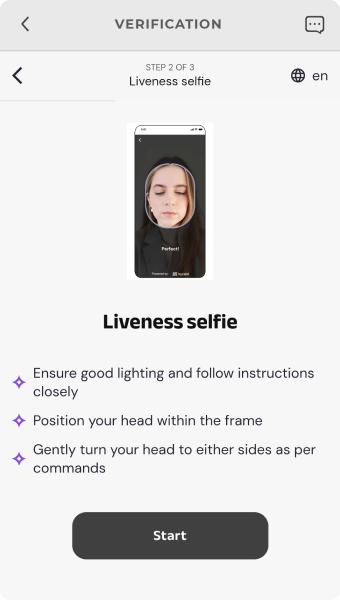
- Complete the face scan process (smile, you’re being digitized).
- Confirm your address.
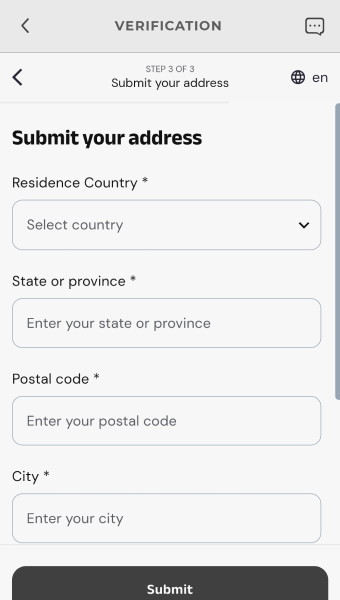
Patience, dear reader – this process may take 2–4 hours. Once approved, your account will be primed for top-ups using debit or credit cards.
4
Load Your Digital Vault
1. Topping Up:
- Tap the “Top Up” button with aplomb.
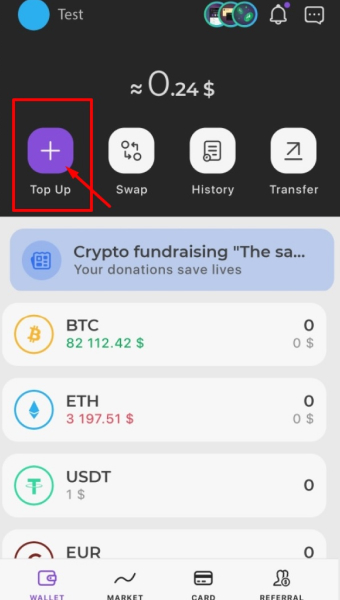
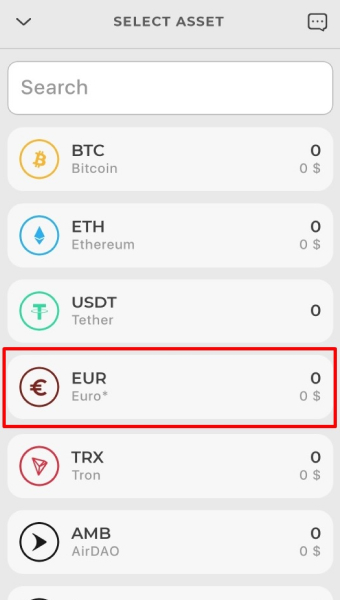
- Select EUR (Euro) as your currency of choice.
- Choose Debit or Credit Card as the payment method.
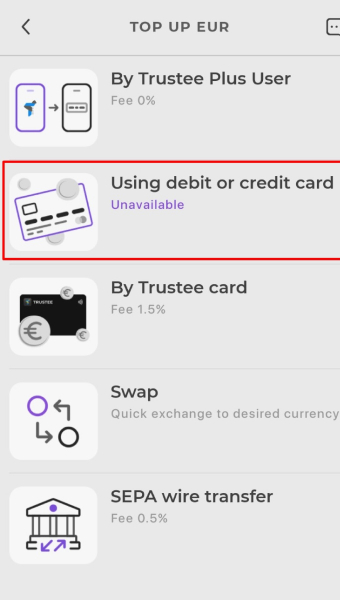
- Enter your card details and the desired amount in Euros.
- Proceed with confidence as your account fills with possibilities.
5
Specify the desired amount of cryptocurrency you wish to buy. To Venture into Crypto Purchases
1. Acquiring Digital Coin:
- Tap the “Swap” button with finesse.
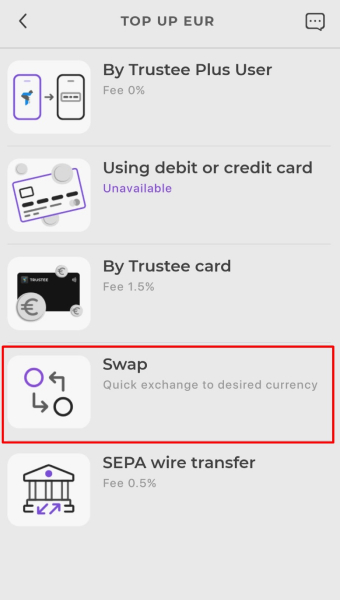
- Choose EUR as your base currency.
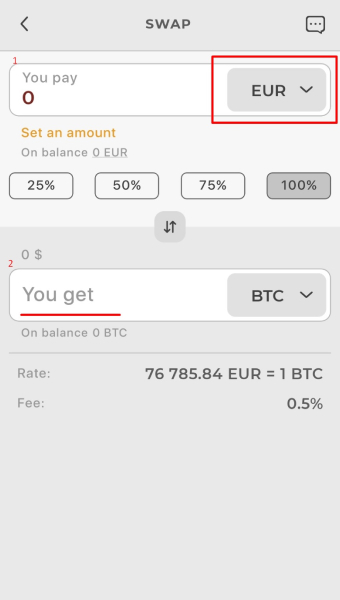
- Input the desired amount.
- Select your cryptocurrency of choice – Bitcoin, Ethereum, or something more exotic.
- Press Swap and watch your wallet grow richer in digital gold.
6
Send Crypto Across the Blockchain Seas
1. Making Transfers:
- Tap “Transfer” like the crypto connoisseur you are.
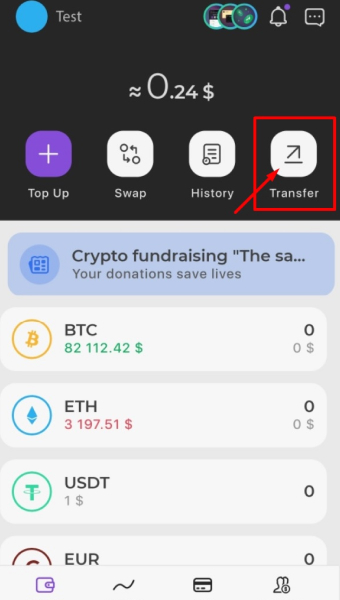
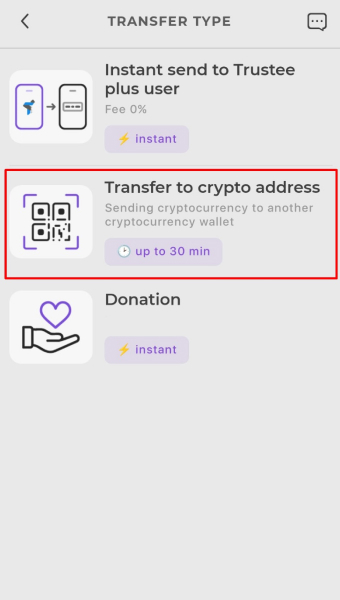
- Select Transfer to Crypto Address.
- Enter the recipient’s wallet address with meticulous care.
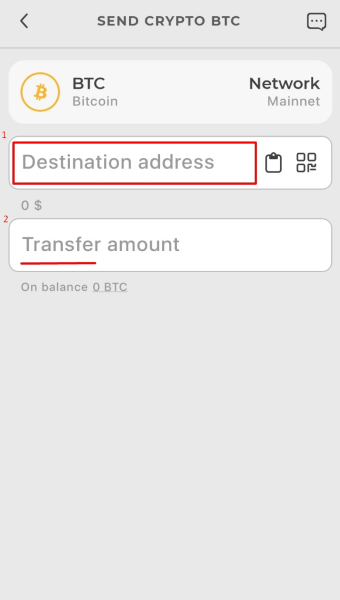
- Input the amount of cryptocurrency and press Send.
7
Tips for the Discerning Crypto Enthusiast
- Double-Check Addresses: Errors are eternal in the blockchain realm; verify recipient details thrice.
- Mind the Fees: Be aware of any charges that may nibble at your transfers.
- Network Hustle and Bustle: Peak times can delay your transactions; patience is a virtue.
- Seek Assistance: The app’s support section stands ready to help should you need guidance.
With Trustee Plus, your foray into the cryptocurrency frontier is not merely a financial endeavor but a journey steeped in modern sophistication. Happy investing and transferring, dear Londoner, and may your digital wallet always brim with prosperity.
Weed from Canna City is available for purchase in the following cities: